Skip to content
midorimax
Sign in

MidorLife for iPhone and Android

Your whole day, in your pocket

Tasks, habits, medicines, mood, people and family lists on one page, in your language, with reminders that reach you.

iPhone and Apple Watch · free · Google Play · closed testOr open it on the web life.midorimax.comRead the 5-minute guide ↓

The 5-minute guide

Everything the app does, in the order you meet it

Get the app

MidorLife is free. On iPhone, install it from the App Store. On Android it is in a closed test: join the group, then install it from Google Play with the same Gmail. Everything also works on the web at life.midorimax.com, with the same account.
Sign in once

Tap Sign in with Apple, or More ways to sign in for Google or an e-mail link. There are no passwords. One midorimax account works in every app and on the website, so the phone and the web never disagree.

Now: your day

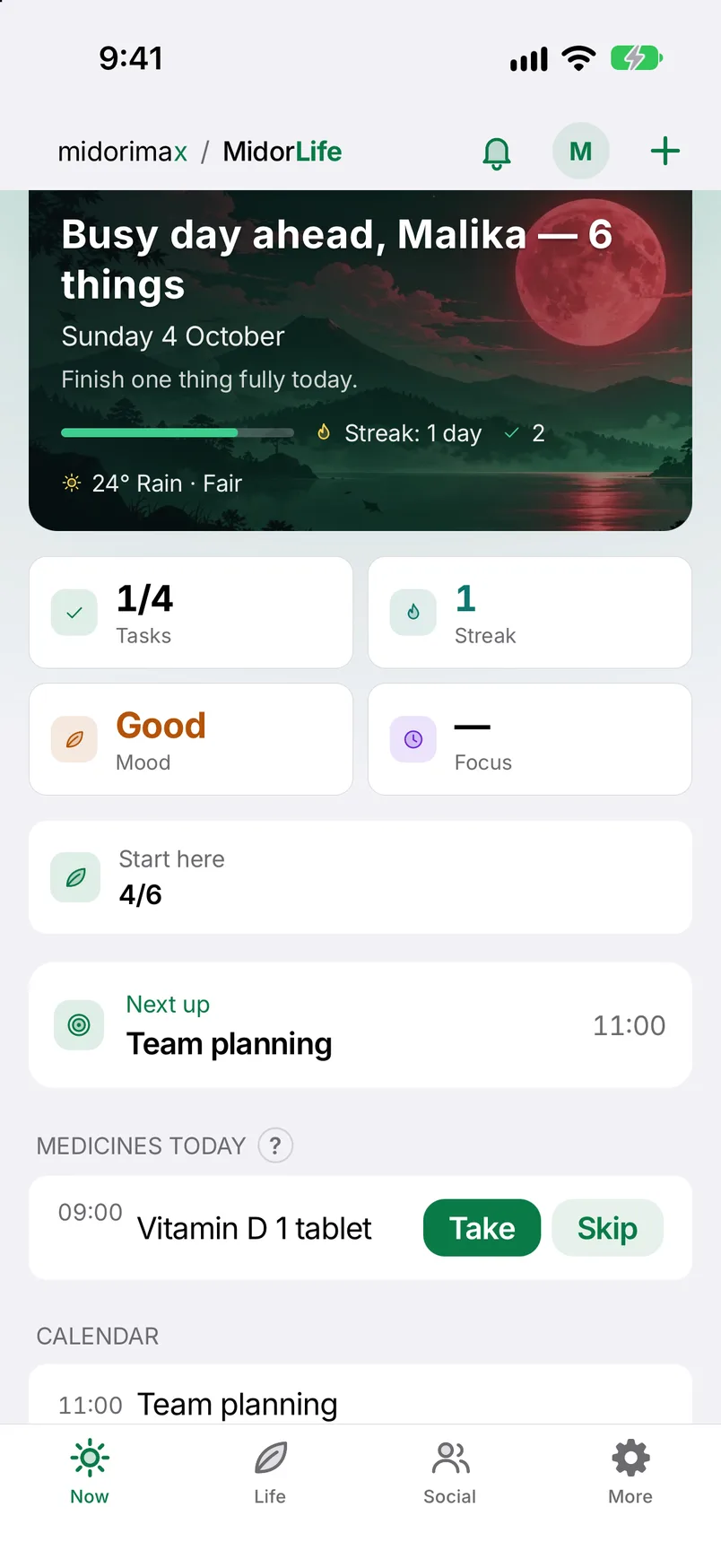
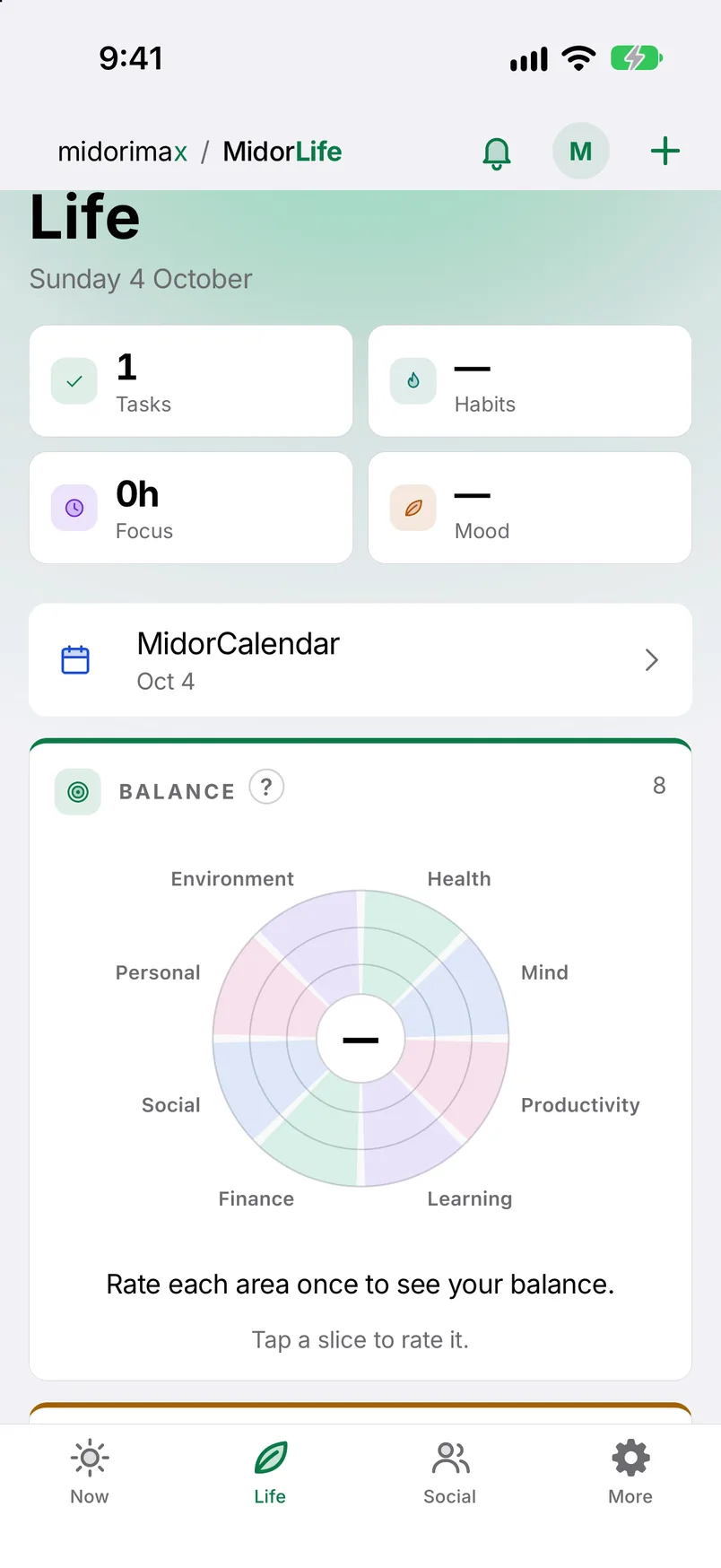
The first tab is today: tasks with their hours, open habits, medicines due, your mood and the focus timer. The six Start-here steps show you around.

  • Pull a row to the right: done, taken, kept.
  • Pull it to the left: later, skip, remove.
  • Tap the date to open the calendar.

Add anything with +

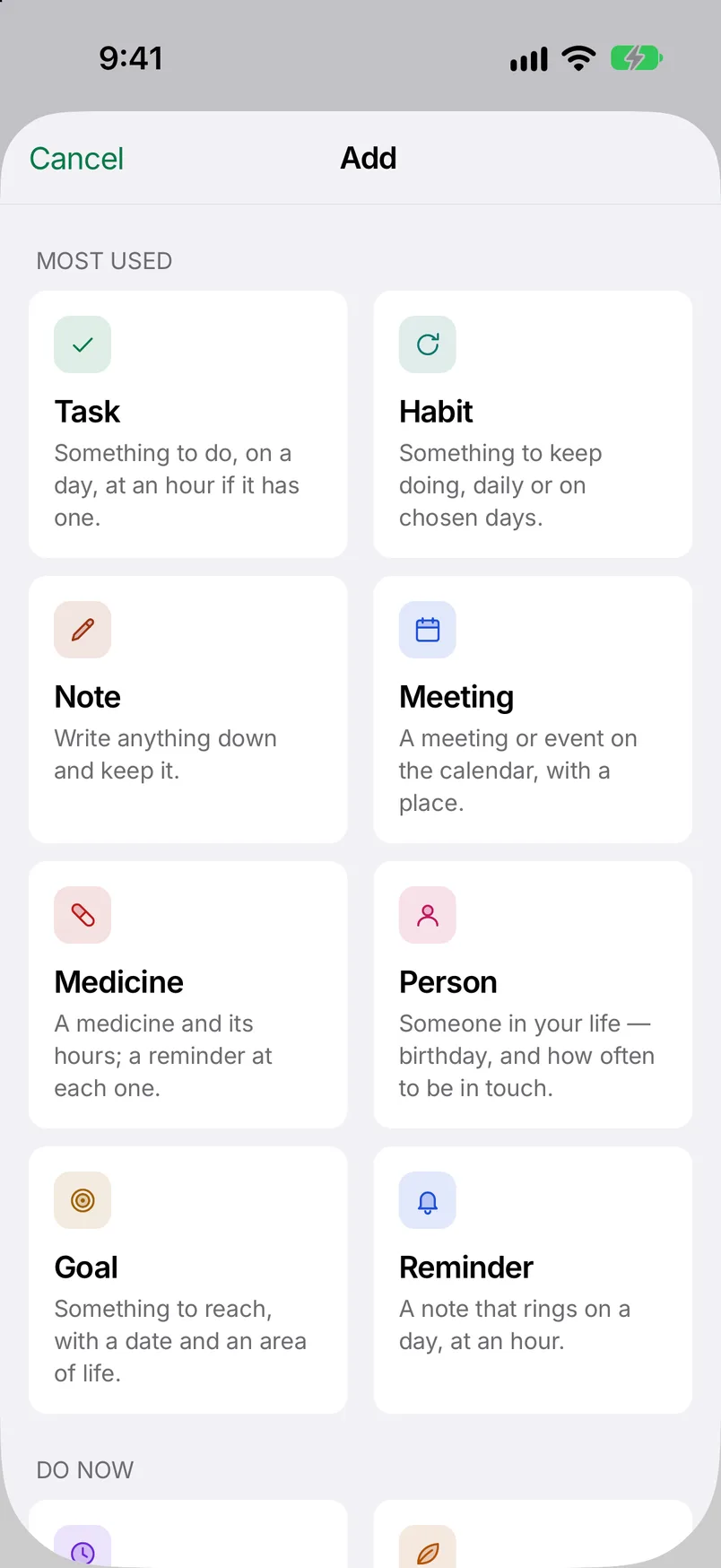
Tap + and type a line the way you would say it: “call mom tomorrow 9am” lands on the right day at the right hour. Or pick a kind: task, habit, note, meeting, medicine, person, goal, reminder. The long form has every field the website has, for forty-odd kinds.

Life: the big picture

The wheel shows how each part of your life is doing; tap a slice to rate it from 1 to 10. Under it: goals and dreams, things you own and their upkeep, medicines and care, money and documents, your journal, books and courses, and the calendar.

Social: your people

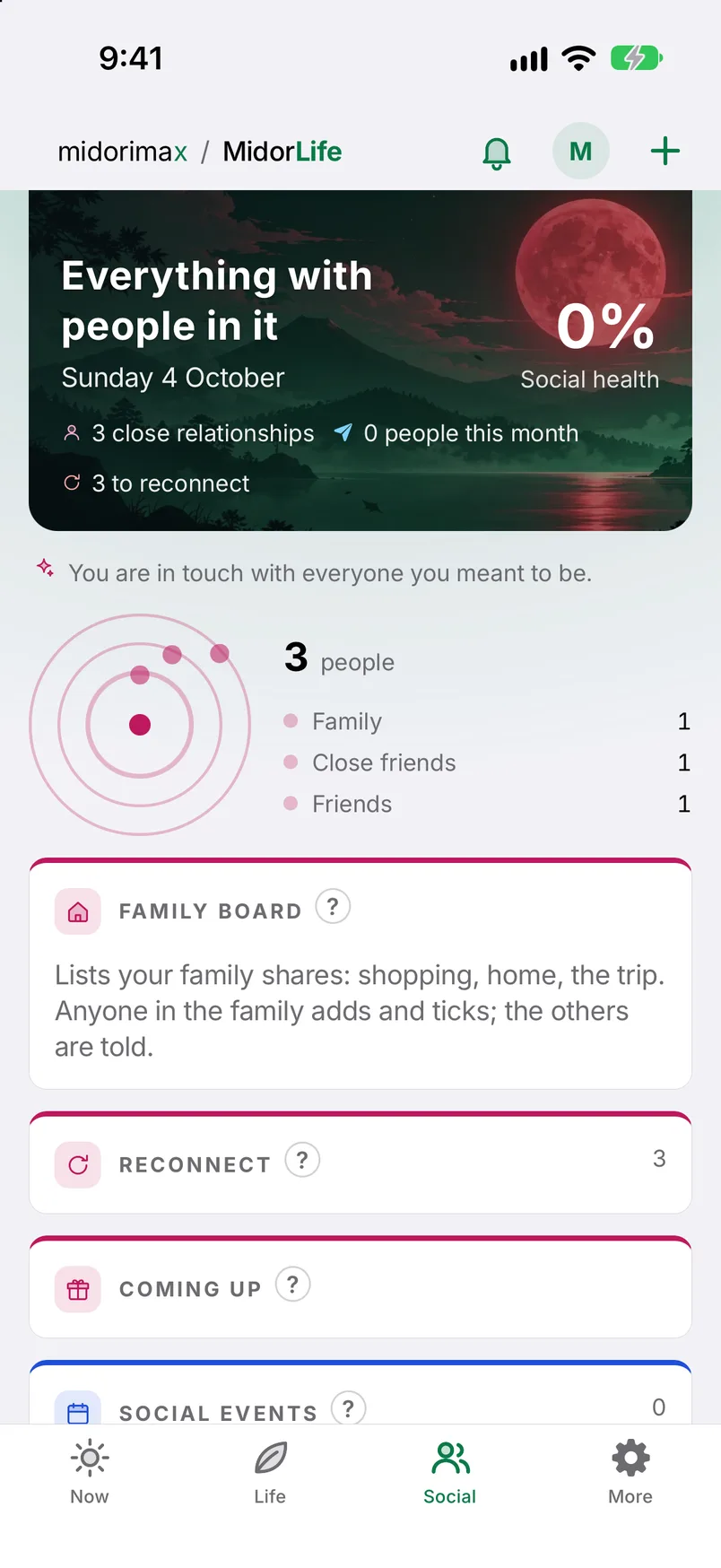
People in their circles, who you have not spoken to for a while, birthdays coming up, events, and the messages you promised. The Family board is for lists you share: shopping, home, the trip. Invite someone by e-mail; everyone adds and ticks.

More: search, review, ask

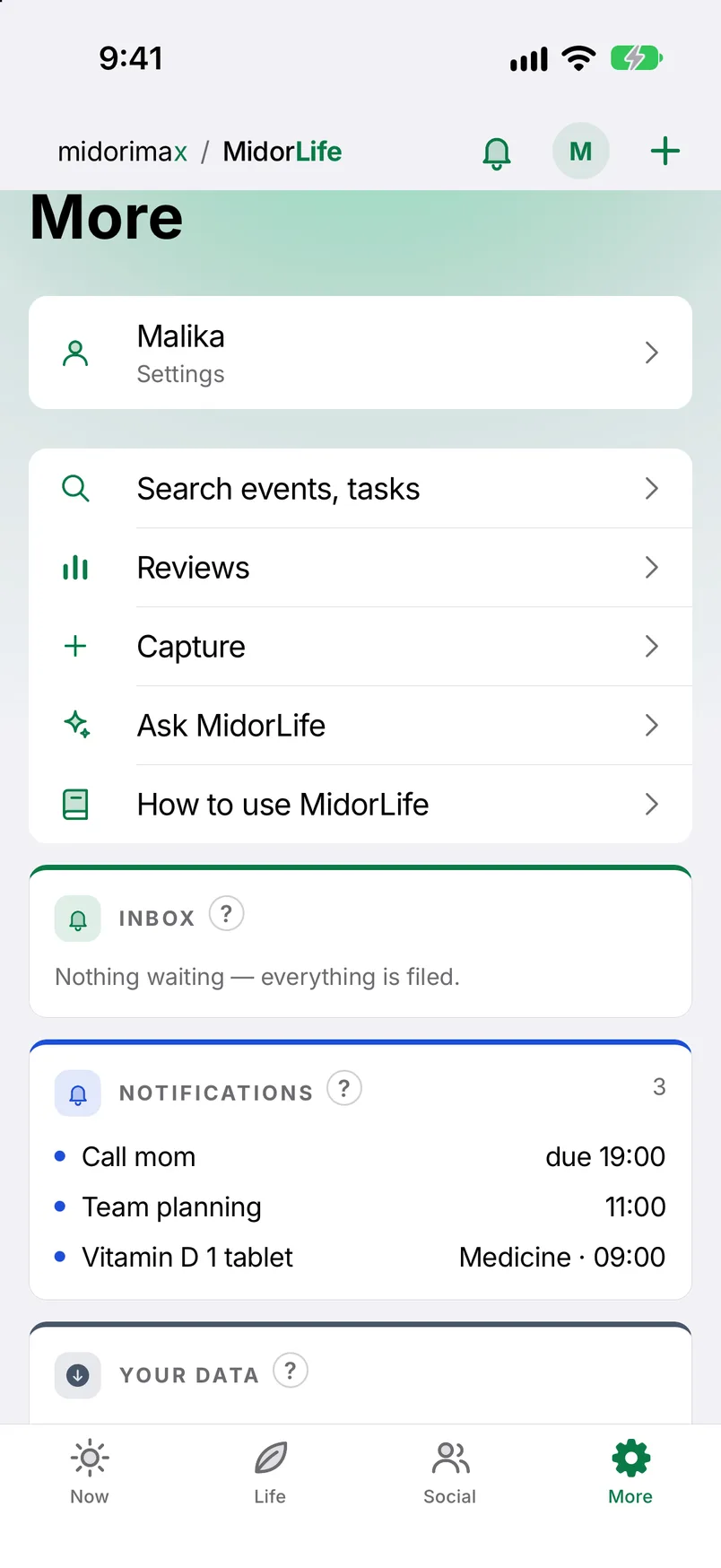
Search everything. Read your week’s review, written every Sunday. Ask MidorLife a question and get an answer from your own numbers. Check the Inbox. The round letter at the top right opens Settings.

Reminders that arrive

A medicine reminder comes with Take, Skip and Later on the lock screen; a task reminder with Done and Later. Set quiet hours, a morning brief, and which kinds may speak. Connect Telegram in Settings if you want them there too. A medicine at its hour comes through anyway.

Home Screen, Watch, Siri

On iPhone, add MidorLife widgets to the Home Screen and the Lock Screen: today, tasks, habits, medicines, focus, mood, streak, what is next. The Apple Watch app shows the day and ticks things off. Siri and Shortcuts can add a task or start a focus. On both phones, long-press the app icon for Capture and Focus.

Make it yours

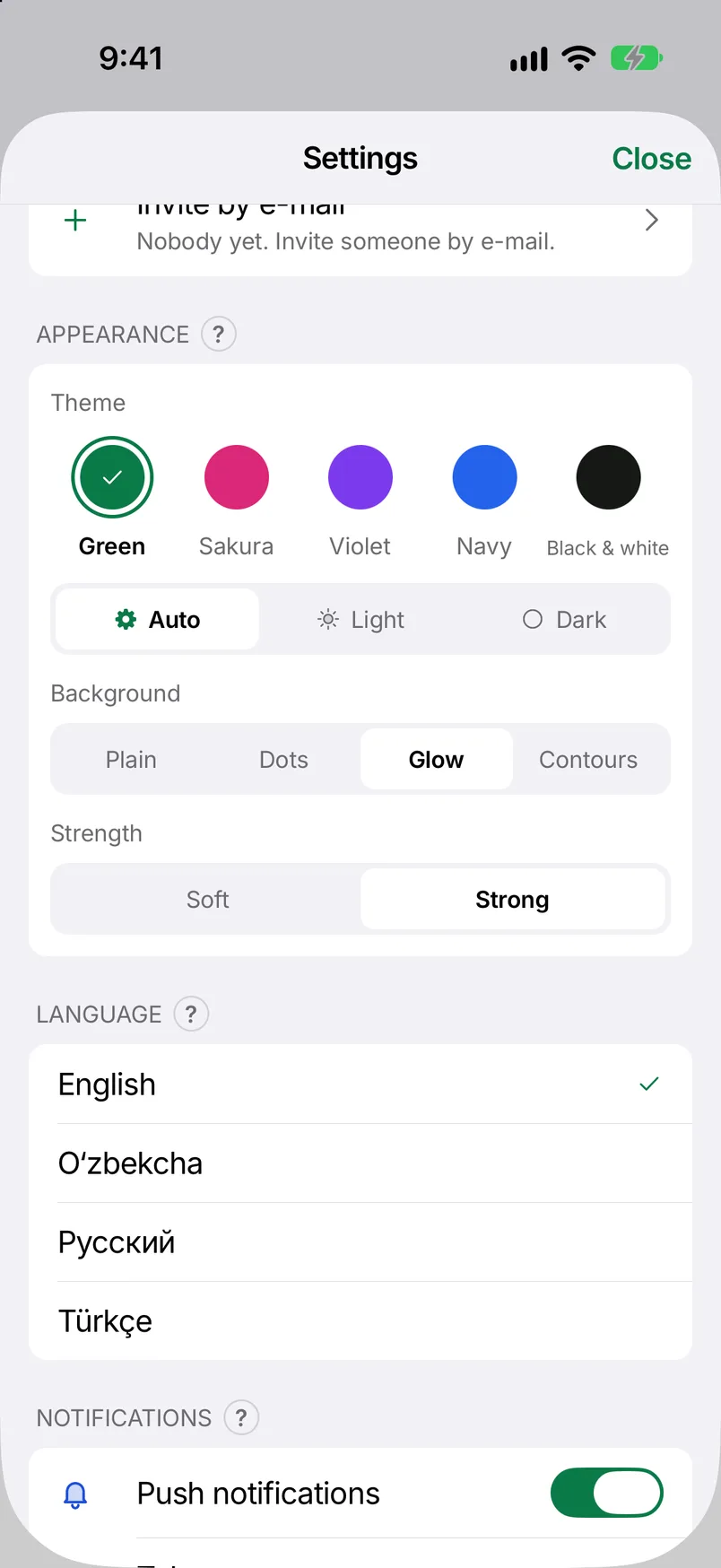
Settings → Appearance: five colour themes (Green, Sakura, Violet, Navy, Black & white), light or dark, and what lies behind the pages. The theme you pick here is the theme on the website too. The app speaks English, Uzbek, Russian and Turkish, and follows your account’s language.

Private by default

Lock the app with Face ID, Touch ID or your passcode. Places (home, work) stay on the phone and only wake a reminder when you arrive. Apple Health can fill in steps, sleep and weight once a day; nothing is sent back. Download everything you keep as one file, or delete the account, any time. No adverts.

Small things worth knowing

Android: how to join the test

Google asks for 14 days of testing before a public release, so for now Android is a closed test. Four steps, once:

  1. Join the testers group with your Gmail: groups.google.com/g/midorlife-testers
  2. Open the opt-in page and tap “Become a tester”: play.google.com/apps/testing/com.midorimax.app
  3. Install it from Google Play with the same Gmail. It can take up to an hour to appear.
  4. Stay in the test for 14 days.

The Android version has no medicines part, by Google’s rules for personal developer accounts. Everything else is the same.

Need help?

Write to hello@midorimax.com or on Telegram @midorimax. Say which phone you have and what you tapped; we answer in your language.